
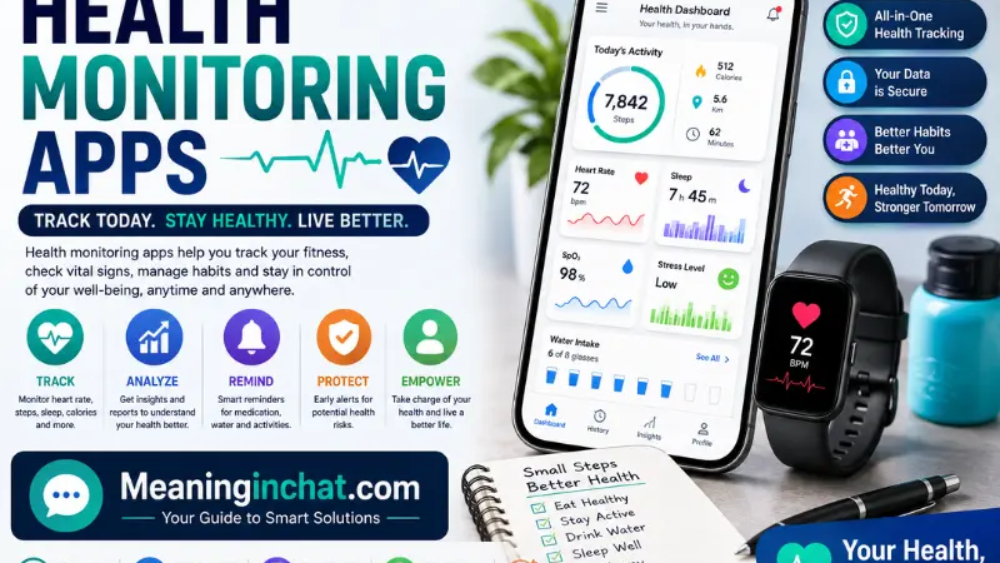
Health monitoring apps are mobile apps that collect, organize, and display information about your health, fitness, sleep, nutrition, activity, and other wellness measurements. Depending on the app and connected device, you may be able to track steps, workouts, heart rate, sleep, weight, calories, blood oxygen, menstrual cycles, and long-term trends.
Some apps work with nothing more than your phone, while others become much more useful when connected to a smartwatch, fitness tracker, smart ring, scale, or another health device.
The important difference is that these apps aren’t all designed for the same job. One may be excellent for everyday activity, another may focus heavily on sleep and recovery, while another may simply give you a central place to view information collected from several devices.
The Best Health Monitoring Apps in 2026
There isn’t one app that’s best for everyone. Your phone, wearable, preferred metrics, and willingness to pay for premium features all matter.
| App | Best for | Main strengths | Wearable needed? |
| Google Health | General health tracking | Fitness, sleep, health data, connected devices | No, but useful with Fitbit/Pixel Watch |
| Samsung Health | Samsung users | Sleep, exercise, nutrition, heart and wellness features | No, advanced features may need Galaxy devices |
| Apple Health | iPhone users | Central health-data dashboard | No |
| Garmin Connect | Runners and athletes | Training and performance data | Best with Garmin devices |
| Oura | Sleep and recovery | Sleep, readiness and wellness trends | Oura Ring |
| WHOOP | Training and recovery | Recovery, strain and long-term metrics | WHOOP device |
Google Health now combines data from wearables, health apps, smart devices and, in supported markets, medical records.
Samsung Health, meanwhile, covers areas including sleep, exercise, nutrition, mindfulness, body composition and heart-related measurements, with some features dependent on compatible Galaxy devices.
Google Health: A Strong All-Round Option
Google’s health platform has changed significantly in 2026. The former Fitbit app has transitioned into the Google Health app, which brings together fitness, sleep and health information in a redesigned interface.
The app can work with Fitbit and Pixel Watch devices, but Google also supports connections with other health and fitness apps and devices. Its current feature set includes activity tracking, sleep information, health metrics, trends and personalized coaching features.
For someone who wants one place to see everyday health information rather than a highly specialized training platform, Google Health is worth considering.
One advantage is its ability to connect information from multiple sources. Google says the platform can work with services and devices including Garmin, Samsung Galaxy watches, WHOOP, Oura and apps such as Strava and MyFitnessPal through supported connections.
Samsung Health: More Than a Step Counter
Samsung Health is particularly appealing if you’re already using a Galaxy phone or Galaxy wearable.
The platform tracks areas such as exercise, sleep, food intake, body composition, heart-related measurements and menstrual-cycle information. Samsung also provides weekly reports that bring together activity, sleep, nutrition and other tracked information.
Some of its more advanced measurements depend on compatible Galaxy Watch or Ring hardware. For example, Samsung says heart-rate monitoring can use supported Galaxy Watch, Ring or Fit devices, while certain body-composition and health measurements require compatible hardware.
That makes Samsung Health a better fit for people who want their phone and wearable to work as one health-tracking system.
Apple Health: The Central Dashboard for iPhone Users
Apple Health is designed around the idea of bringing health information together in one place.
Rather than thinking of it only as a fitness tracker, consider it a central health-data hub. Depending on the connected apps and devices, users can collect different types of information and review their history over time.
Its biggest advantage is the Apple ecosystem. If you’re already using an iPhone and Apple Watch, keeping your health information within that ecosystem can be more convenient than maintaining several unrelated tracking apps.
The same principle is useful for people who use multiple health apps. Instead of checking every app individually, a central health platform can make it easier to see information from different sources.
Garmin Connect, Oura and WHOOP
Some health monitoring platforms are built around a particular wearable rather than the phone alone.
Garmin Connect
Garmin Connect is particularly useful for people who care about exercise performance, running, cycling and training data. The platform becomes much more valuable when paired with a Garmin watch or tracker because the wearable supplies the underlying measurements.
Oura
Oura focuses heavily on sleep, recovery and broader wellness trends. Its ring-based approach appeals to people who don’t want to wear a traditional smartwatch all day.
WHOOP
WHOOP takes a more training-focused approach, emphasizing recovery, strain and longer-term physiological trends. It’s particularly popular among people who want detailed information about how training affects recovery.
Current wearable comparisons show how different these ecosystems have become: some prioritize general wellness while others focus heavily on athletic performance or recovery.
What Can Health Monitoring Apps Track?
The exact measurements vary considerably by app and hardware.
Common categories include:
- Steps
- Distance
- Calories
- Exercise
- Heart rate
- Resting heart rate
- Sleep
- Sleep stages
- Heart-rate variability
- Blood oxygen
- Weight
- Body composition
- Nutrition
- Menstrual-cycle information
- Stress and recovery indicators
- Workout intensity
- Long-term activity trends
Not every phone or wearable can measure all of these. A phone may estimate activity using its built-in sensors, while continuous heart-rate or sleep information generally requires compatible wearable hardware.
For example, Samsung says its step tracking uses movement sensors in compatible Galaxy devices, while some vital-sign measurements require supported wearable devices.
Do You Need a Smartwatch?
No.
Many health apps can track basic information directly from your phone. Steps, workouts, manually entered meals, weight and other information can often be logged without a wearable.
A smartwatch, ring or fitness tracker becomes useful when you want more continuous measurements.
For example:
Phone only:
You might manually record your weight, meals and workouts and let your phone estimate activity.
Phone + smartwatch:
You can potentially collect more continuous information such as heart rate, sleep and workout data.
Phone + specialized wearable:
A device such as a smart ring or training band can provide a different set of sleep, recovery or performance measurements.
The right setup depends on how much information you actually want. More data isn’t automatically more useful.
Are Health Monitoring Apps Accurate?
They can be useful for tracking patterns, but a health app should not automatically be treated as a medical diagnostic tool.
Accuracy depends on several factors, including the device’s sensors, how the device is worn, the measurement being taken, the software processing the data, and the individual user.
A step count can be useful for comparing your activity from one day to another. Sleep estimates can help you notice changes in your routine. But a number displayed by an app doesn’t necessarily mean that a medical condition has been diagnosed.
Google explicitly states that its health app’s results are illustrative and that features can vary, while the Google Health app is positioned around health and wellness rather than replacing professional medical care.
For concerning symptoms or abnormal measurements, speak with a qualified healthcare professional rather than relying on an app alone.
Health App Privacy Matters
Health data can be much more sensitive than ordinary app information.
Before choosing an app, check what information it collects, where that information is stored, what third-party services it connects to, and what privacy controls are available.
Google says users remain in control of their Google Health data and can manage what information is collected and why.
Samsung also says health data is stored securely using Samsung Knox.
Still, don’t rely solely on a company’s marketing statement. Open the app’s privacy settings and read the relevant privacy documentation before connecting sensitive information or medical records.
Which Health Monitoring App Should You Choose?
The simplest way to choose is to start with the ecosystem you already use.
If you use an iPhone:
Apple Health is a natural starting point because it acts as a central place for health information within Apple’s ecosystem.
If you use Samsung devices:
Samsung Health makes sense when you want your Galaxy phone and wearable to work together.
If you use Fitbit or Pixel Watch:
Google Health is now the relevant platform following the Fitbit app’s transition in 2026.
If you’re a serious runner or athlete:
Garmin Connect may provide more training-focused information than a general wellness app.
If sleep and recovery are your priority:
Oura and WHOOP are more specialized options.
If you don’t own a wearable:
Start with the health platform already available on your phone. You may discover that basic tracking is enough before spending money on another device.
Common Mistakes When Using Health Tracking Apps
One common mistake is trying to track everything.
A dashboard filled with dozens of metrics can look impressive but may not tell you anything useful. It’s usually better to choose a few measurements that match your actual goal.
Another mistake is treating every number as perfectly precise. A wearable’s estimate can be useful for identifying trends without being an exact measurement of your health.
People also sometimes ignore privacy settings. If you’re connecting multiple apps and devices, take a few minutes to check what information each service can access.
Finally, don’t confuse wellness tracking with medical diagnosis. Health apps can help you monitor patterns, but they aren’t a substitute for a doctor when something is genuinely wrong.
See Also:
- Upgrade Oxzep7 Python: Safe Installation & Fixes
- Social Media Advertising: Smart Strategies for Better Growth
- WhatsApp LogicalShout: Updates, Features & Safety Guide 2026
FAQs
What are health monitoring apps used for?
They are used to record and organize information such as activity, exercise, sleep, heart rate, nutrition, weight and other wellness measurements.
What is the best health monitoring app?
There isn’t one universal winner. Google Health, Apple Health and Samsung Health are strong general-purpose choices, while Garmin, Oura and WHOOP are more specialized around training, sleep or recovery.
Can health apps work without a smartwatch?
Yes. Many apps can track basic activity and allow manual health entries using only a smartphone. Wearables provide additional continuous measurements.
Are health monitoring apps safe to use?
They can be, but privacy practices vary. Check the app’s privacy policy, permissions, connected services and data controls before entering sensitive information.
Can a health app diagnose a medical condition?
A wellness app should not be treated as a replacement for professional medical diagnosis. Its measurements and insights can help you track information, but medical concerns should be discussed with a qualified healthcare professional.
Which health app is best for sleep tracking?
That depends on your device and priorities. Google Health and Samsung Health provide sleep features within broader health platforms, while Oura and WHOOP are more specialized around sleep and recovery.
Conclusion
The best health monitoring app is the one that fits the devices you already use and gives you information you can actually act on. Google Health, Apple Health and Samsung Health are useful general-purpose platforms, while Garmin, Oura and WHOOP take more specialized approaches to training, sleep and recovery.
Don’t choose an app simply because it displays the most numbers. Look at the measurements you actually need, whether you require a wearable, how the platform handles your data, and whether its insights are useful in your everyday routine.
Health tracking works best when it helps you spot patterns rather than making you obsess over every individual reading.
