
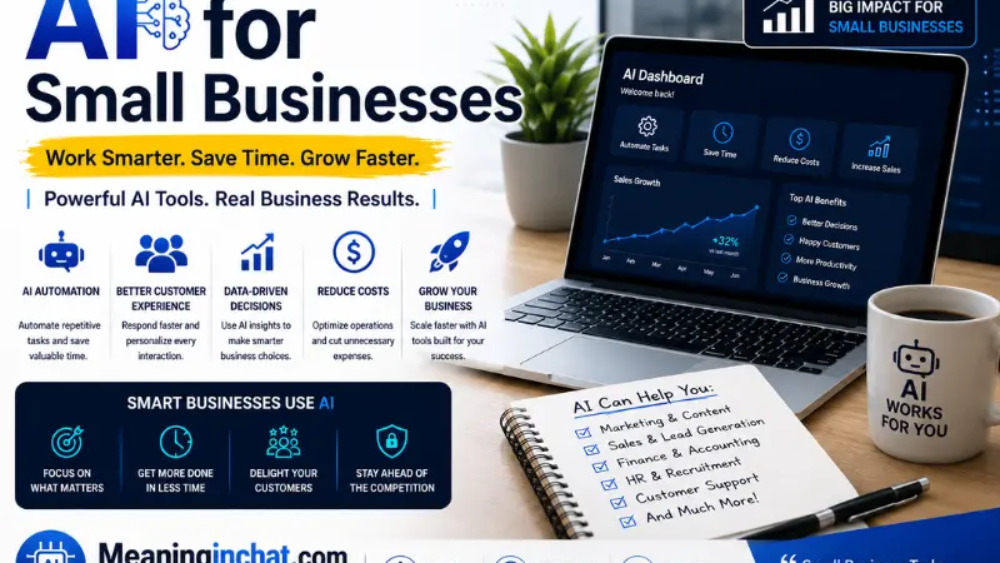
AI is becoming useful for small businesses because it can take care of repetitive work without requiring a large team. Small business owners are using it for writing, customer support, research, marketing, data analysis, meeting notes, sales tasks, and everyday administration. Recent Federal Reserve research found that nearly 40% of small businesses surveyed were already using AI or planning to use it soon.
The biggest opportunity is not replacing every employee with AI. It is giving a small team more capacity. A business owner who normally spends an hour sorting emails, preparing a report, writing social posts, or cleaning a spreadsheet can use AI to get a first draft or analysis much faster, then spend their time checking the result and making the decisions that actually require experience.
What Can AI Do for a Small Business?
For a small company, AI is most useful when it handles repeatable, time-consuming tasks rather than decisions that require personal judgment.
Common uses include:
| Business task | How AI can help | Human still needed? |
| Marketing | Draft campaigns, posts and ad ideas | Yes |
| Customer service | Answer common questions and summarize conversations | Yes |
| Sales | Research prospects and draft outreach | Yes |
| Administration | Summarize documents and organize information | Usually |
| Data analysis | Find trends and create reports | Yes |
| Content | Create first drafts and repurpose material | Yes |
| Meetings | Summarize discussions and action items | Yes |
| Research | Gather and organize information | Yes |
Google currently highlights similar uses for small businesses, including inbox management, content creation, data analysis, research, and workflow automation through Workspace with Gemini.
The important distinction is that AI should usually speed up the work, not remove the owner’s judgment from it.
The Best AI Uses for Small Businesses
Marketing and Content Creation
Marketing is one of the easiest places for a small business to start.
A local restaurant, for example, might need:
- Instagram captions
- Promotional emails
- Product descriptions
- Blog ideas
- Ad variations
- Video scripts
- Seasonal campaigns
- Customer newsletters
Instead of starting with a blank page every time, the owner can give AI the business information, target customer, offer, and desired tone and ask for several starting points.
Google says small businesses can use Gemini to turn existing material into social posts, email campaigns, video scripts, and other marketing content.
The key is not publishing everything AI produces without checking it.
A generic AI-written restaurant post might say:
Come visit us today for an unforgettable dining experience!
That could describe almost any restaurant.
A better workflow is to give AI the actual details:
Write three Instagram captions for our Friday dinner special. The special is grilled salmon with lemon butter, costs $24, and is available from 5–9 PM. Keep the tone friendly and local.
Now the tool has information it can work with.
Customer Service
Small businesses often answer the same questions repeatedly.
Customers may ask:
- What are your opening hours?
- Do you ship?
- How long does delivery take?
- What’s your return policy?
- Do you offer appointments?
- Where are you located?
- What payment methods do you accept?
AI can help create FAQ responses, draft email replies, summarize customer conversations, and power automated chat experiences.
But there is a line between routine questions and sensitive problems.
A customer asking about opening hours is an excellent automation candidate.
A customer disputing a $3,000 charge probably should not receive an entirely automated response.
AI can prepare the response, while a person makes the final call.
Sales and Lead Generation
Sales teams do not need to spend hours manually researching every prospect.
AI can help organize publicly available information, summarize a prospect’s company, prepare questions for a sales call, and draft personalized outreach.
For example:
Before AI:
A business owner spends 30 minutes researching each potential client.
With AI assistance:
The owner provides the relevant prospect information and asks for:
- A short company summary
- Potential needs
- Questions to ask
- A personalized email draft
The owner then verifies the information before contacting the prospect.
That last step matters. AI can confidently present incorrect information, so sales research should be treated as a starting point rather than unquestionable fact.
Email and Administrative Work
For many owners, email is one of the biggest sources of wasted time.
AI can help:
- Summarize long email threads
- Draft replies
- Rewrite unclear messages
- Extract action items
- Prioritize information
- Summarize documents
- Turn notes into organized text
Google specifically promotes AI features for handling inboxes, summarizing documents and conversations, and automating repetitive administrative work.
This is particularly useful for owners who are simultaneously handling customers, employees, suppliers, invoices, and marketing.
The goal isn’t to have AI answer every email. It is to reduce the amount of time spent processing email.
Data Analysis Without Being a Spreadsheet Expert
Small businesses collect more data than many owners realize.
That could include:
- Monthly sales
- Advertising costs
- Product orders
- Customer lists
- Website traffic
- Inventory
- Expenses
- Appointment records
AI can help turn that information into questions an owner can actually answer.
For example:
Which products generated the most revenue last quarter?
Or:
Which expenses increased the most compared with last month?
Or:
Show me the five largest changes in monthly expenses.
Google says Gemini in Sheets can help clean datasets, identify trends, surface cost drivers, and generate charts using natural-language prompts.
The numbers still need to be checked, particularly before making financial or operational decisions.
Meetings and Internal Communication
A small business doesn’t need a large corporate meeting department to benefit from AI.
Meeting tools can help create:
- Summaries
- Action items
- Follow-up lists
- Notes
- Transcripts
- Task reminders
That can be especially helpful when a team has several meetings during the week and people need to remember who agreed to do what.
Instead of asking everyone, “What did we decide yesterday?”, a properly configured meeting system can provide a summary and list of actions.
Research and Planning
AI can also act as a research assistant.
A business owner might use it to brainstorm:
- New product ideas
- Customer segments
- Competitor questions
- Marketing campaigns
- Business processes
- Interview questions
- Event ideas
More advanced business AI systems are also adding research agents that can perform multi-step investigations and produce reports based on multiple sources.
But research has a major limitation: AI can be wrong.
For anything involving regulations, legal requirements, taxes, contracts, medical claims, financial decisions, or current market information, verify important facts against authoritative sources.
AI Tools Small Businesses Can Consider
There is no single “best AI tool” for every business. The right choice depends on what the company already uses.
ChatGPT
ChatGPT for small businesses can be useful for drafting, brainstorming, research, analysis, customer communication, and many general business tasks. OpenAI launched a dedicated small-business program in July 2026 that includes training aimed at helping businesses use ChatGPT in day-to-day work.
Google Workspace with Gemini
Google Workspace with Gemini is particularly useful for businesses already working in Gmail, Docs, Sheets, Meet, Drive, and other Workspace applications. Google integrates Gemini directly into those workflows rather than requiring users to move everything into a separate application.
Microsoft Copilot
Microsoft Copilot is another option for businesses already relying heavily on Microsoft 365 applications.
Shopify AI tools
For online stores, Shopify’s AI features can assist with storefront content, product descriptions, marketing material, and other merchant workflows. Shopify’s 2026 small-business guide identifies marketing, customer service, operations, sales, and product development as major AI use cases.
The best option is often the one that works inside the software you already use.
How to Choose AI for Your Business
Don’t start by asking:
“Which AI tool should I buy?”
Start with:
“What takes too much of my team’s time every week?”
Make a list of repetitive tasks and rank them by:
- How often they happen
- How much time they consume
- How expensive mistakes would be
- Whether the task requires human judgment
- Whether the process can be standardized
For example:
| Task | Frequency | AI suitability |
| Drafting social posts | Daily | High |
| Email summaries | Daily | High |
| FAQ responses | Daily | High |
| Financial decisions | Occasional | Low |
| Legal decisions | Occasional | Low |
| Product brainstorming | Weekly | High |
| Employee disciplinary decisions | Occasional | Low |
This approach prevents a common mistake: buying an expensive AI subscription before knowing what problem it is supposed to solve.
How Much Can a Small Business Save With AI?
There isn’t one reliable number that applies to every company.
A five-person marketing agency and a two-person plumbing business have completely different workflows.
Instead of promising a specific dollar amount, measure time saved on individual processes.
Suppose an employee spends:
- 30 minutes preparing a weekly report
- 20 minutes writing a customer newsletter
- 30 minutes summarizing meetings
That’s 80 minutes per week.
If an AI-assisted workflow reduces that to 30 minutes, the business has recovered approximately 50 minutes each week from one person’s schedule.
Multiply that across several repeatable processes and the value becomes easier to see.
This is also why “AI will replace your employees” is a poor way to think about small-business adoption. A more useful question is:
What valuable work could my existing team do if routine tasks took less time?
OpenAI’s 2026 analysis similarly describes AI as a tool that can extend the capacity of people who are already doing multiple jobs inside a small business.
Don’t Give AI Everything
AI becomes much more useful when businesses establish boundaries.
Avoid casually putting sensitive information into consumer AI tools without checking the provider’s data controls and your own obligations.
Be particularly careful with:
- Customer personal information
- Payment information
- Passwords
- Confidential contracts
- Private employee records
- Health information
- Proprietary business information
- Unreleased financial information
Business-grade services can offer additional security and administrative controls. For example, Google says Workspace with Gemini provides access controls and says customer data is not used to train Gemini models or for ad targeting in that offering.
Always check the current privacy terms of the specific product you’re using.
What AI Should Not Handle Alone
There are jobs where an AI-generated answer is not good enough.
Don’t blindly delegate:
- Legal decisions
- Tax filings
- Major financial decisions
- Hiring and firing decisions
- Safety decisions
- Medical claims
- Contract interpretation
- Serious customer disputes
- Final business strategy
AI can help prepare information for these tasks, but the final decision should usually remain with an appropriately qualified person.
This is especially important because AI can produce an answer that sounds polished while containing a factual error. Shopify makes the same point in its current small-business guidance: AI outputs can appear reasonable while still being wrong in a particular context.
A Simple AI Plan for a Small Business
You don’t need to transform the entire company in one weekend.
Start with one annoying task.
Week 1: Find the bottleneck
Ask your team:
What repetitive task do you wish someone else would handle?
Choose one.
Week 2: Test AI
Use AI to assist with that task for several days.
Don’t automate it completely yet.
Week 3: Measure the result
Compare:
- Time before AI
- Time after AI
- Number of corrections
- Quality of the final result
- Employee satisfaction
Week 4: Decide
If the workflow works, document it.
Then consider automating more of the process.
If it doesn’t work, stop using it and try another task.
This “small experiment first” approach is also consistent with Google’s earlier guidance to start small, experiment, and look for measurable value rather than trying to adopt generative AI everywhere at once.
AI for Different Types of Small Businesses
The best use case changes depending on the company.
Local restaurant
AI can help with:
- Social media content
- Menu descriptions
- Review-response drafts
- Promotional campaigns
- Staff communication
Online store
AI can help with:
- Product descriptions
- Customer emails
- Product recommendations
- Marketing campaigns
- Inventory analysis
- Ad copy
Freelancer
AI can help with:
- Proposals
- Client emails
- Research
- Project outlines
- Meeting summaries
- Content drafts
Real estate business
AI can assist with:
- Listing drafts
- Email campaigns
- Market research
- Appointment summaries
- Social content
Professional services firm
AI can help organize:
- Client notes
- Research
- Proposals
- Internal documentation
- Meeting follow-ups
- Standard communications
The underlying principle stays the same: use AI where the task is repetitive but the result still benefits from human review.
Common Mistakes Small Businesses Make With AI
Buying too many tools
A business can quickly end up with separate AI subscriptions for writing, images, meetings, spreadsheets, research, automation, and customer service.
That can create more complexity than it removes.
Start with one or two tools that fit your existing workflow.
Publishing AI content without reviewing it
AI-generated text can contain incorrect facts, strange wording, outdated information, or claims that don’t fit your business.
A human should review anything customers will see.
Automating a broken process
AI cannot magically fix a workflow that doesn’t make sense.
If employees currently copy information between five spreadsheets, automate the right process rather than simply making the same inefficient process faster.
Measuring output instead of results
Generating 100 social posts isn’t necessarily valuable.
Getting 10 qualified customers from a campaign is.
Focus on business outcomes rather than how much AI-generated material your team produces.
Is AI Worth It for a Small Business?
For many small businesses, yes—but only when it solves a real problem.
AI is particularly useful when a business has repetitive work, limited staff, large amounts of information, or a backlog of tasks that don’t require constant human creativity.
It becomes less useful when owners adopt it simply because competitors are talking about it.
The strongest implementation is usually quiet. Customers don’t necessarily need to know that AI helped summarize a meeting or create the first draft of an email. They care that the business responds faster, communicates clearly, and delivers a good product or service.
That’s the real opportunity for small businesses: not replacing the people who make the business valuable, but giving those people more time to do valuable work.
See Also:
- FictionLab AI: Review Features, Pricing & Safety
- Aggr8Investing: Complete Guide to Investing & Finance 2026
- BetterThisWorld: What It Is, Features, Content & Complete Guide 2026
FAQs
What is AI for small businesses?
AI for small businesses refers to using artificial intelligence to assist with tasks such as marketing, customer service, sales, research, administration, content creation, and data analysis.
What is the best AI for a small business?
There isn’t one best option for every business. ChatGPT, Google Workspace with Gemini, Microsoft Copilot, and specialized tools can all be useful depending on the company’s existing software and needs.
Can a small business use AI for free?
Yes. Many AI products offer free tiers or trials, although advanced business features, higher usage limits, integrations, and administrative controls may require paid plans.
How can a small business start using AI?
Start with one repetitive task that takes significant time, test an AI-assisted workflow, measure the result, and expand only if it actually improves the process.
Can AI replace small-business employees?
AI can automate some tasks, but replacing an entire employee is a much bigger decision. In many cases, the more practical benefit is allowing existing employees to spend less time on repetitive work and more time on customers and higher-value responsibilities.
Is AI safe for business data?
It depends on the AI service, its privacy policies, account settings, and the type of information being processed. Businesses should review data-handling practices and avoid sending sensitive information to tools that aren’t appropriate for it.
What tasks should small businesses automate first?
Good starting points include repetitive email work, meeting summaries, content drafts, FAQ responses, basic research, data organization, and routine reporting.
Conclusion
AI can give a small business something it rarely has enough of: extra time.
The most practical applications aren’t futuristic. They are ordinary tasks that happen every day—answering emails, preparing content, organizing information, summarizing meetings, researching prospects, and analyzing business data.
Start with one workflow, keep a person involved, measure the result, and expand from there. The businesses that get the most value from AI are unlikely to be the ones using the most tools. They’re the ones that find specific problems worth solving and use AI carefully to solve them better.
