
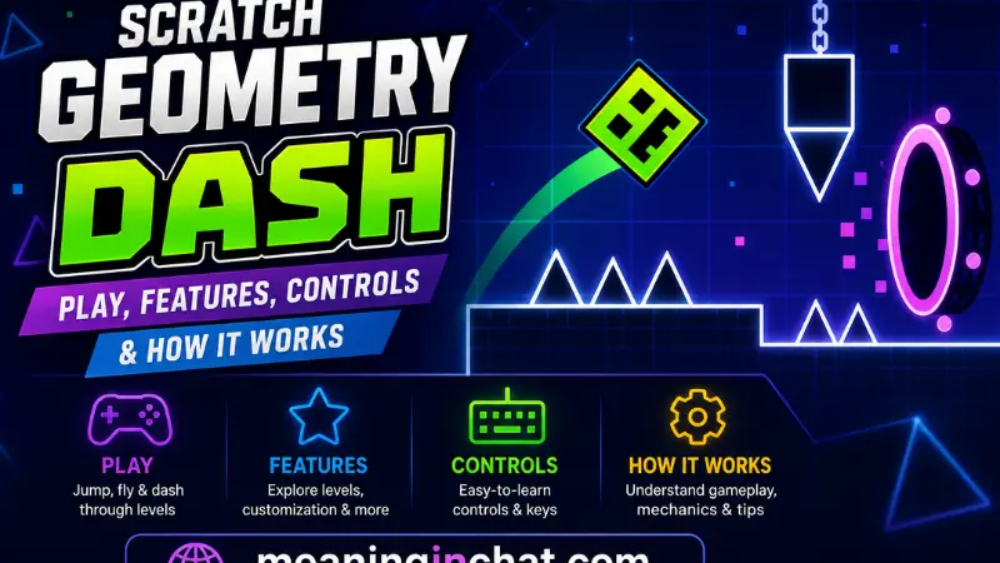
Scratch Geometry Dash is a fan-made style of the popular rhythm platformer concept recreated with Scratch, MIT’s block-based programming platform. It combines simple controls with fast reactions, obstacles, timing, scrolling levels, and creative game design.
Instead of requiring complicated controls, most versions focus on one basic action: jump at the right moment. As the level moves forward, players need to avoid spikes, gaps, blocks, and other obstacles while trying to reach the finish.
Scratch is especially interesting because it is not only a place to play games. It also lets users inspect how projects are built, experiment with code, customize mechanics, and create their own games.
This guide explains what Scratch Geometry Dash is, how it works, its controls, major features, different game elements, and how beginners can create a similar project.
What Is Scratch Geometry Dash?
Scratch Geometry Dash is a Scratch-based interpretation of the Geometry Dash gameplay concept.
The original Geometry Dash is a commercial rhythm-platforming game, while Scratch versions are generally community-created projects inspired by its core mechanics. They are not the official Geometry Dash game or an official RobTop release.
A typical Scratch version includes:
- A character that moves through a level
- Automatic or continuous forward movement
- Jumping mechanics
- Spikes and other obstacles
- Scrolling environments
- Timing-based gameplay
- Different level designs
- Music or sound effects
- Increasing difficulty
Some projects go further by adding flying sections, gravity changes, particles, custom levels, and other mechanics.
The exact features depend on the individual Scratch project because different creators build their games in different ways.
How Does Scratch Geometry Dash Work?
The basic gameplay is straightforward.
The player controls a geometric character moving through a side-scrolling level. Obstacles appear ahead, and the player must react at the correct moment.
For example:
Character moves → obstacle approaches → player jumps → obstacle is avoided → level continues
If the character touches a dangerous obstacle, the game usually resets the attempt.
This simple design creates a challenging experience because success depends more on timing and consistency than complicated controls.
Some Scratch versions also recreate multiple character behaviors. A cube may jump when the player presses a key, while a ship-style section can use holding a button to control vertical movement.
Scratch Geometry Dash Controls
One reason this type of game works well in Scratch is its simple control system.
Common controls include:
| Action | Common Control |
| Jump | Spacebar |
| Jump | Up Arrow |
| Jump | Mouse Click |
| Jump | W key |
| Pause | P key |
| Mobile jump | Screen tap |
However, controls can vary between projects because Scratch creators can program their own key bindings. Some projects may use only one key, while others can introduce additional controls.
A project should therefore provide instructions before gameplay begins.
Main Features of Scratch Geometry Dash
Simple Gameplay
The basic concept is easy to understand.
You move through the level and avoid obstacles.
There is no complicated inventory system or large collection of buttons to learn. The challenge comes from timing.
Fast Paced Levels
Levels are designed around continuous movement.
Because the character keeps progressing, players have limited time to react to upcoming obstacles.
This creates a gameplay loop where each attempt helps the player understand the level’s patterns.
Obstacles
Obstacles are one of the most important parts of the experience.
Common examples include:
- Spikes
- Gaps
- Blocks
- Walls
- Platforms
- Narrow passages
- Moving objects
Good level design gradually introduces these challenges instead of placing everything at once.
Scrolling Levels
A scrolling system creates the feeling that the character is traveling through a larger world.
In Scratch, creators can achieve this effect by moving level elements across the screen while keeping the player character in a relatively consistent position.
This technique is also useful for creating other side-scrolling games.
Music and Timing
Rhythm is an important part of the Geometry Dash concept.
Music can make jumps feel more connected to the level’s movement and can give players additional timing cues.
Scratch creators can add sounds and music to their projects, although the exact soundtrack depends on the project and its available assets.
Scratch Geometry Dash Levels
Different projects can contain different levels.
Some recreations focus on a small selection of classic-style stages, while others create completely original levels.
A commonly referenced Scratch recreation includes three early Geometry Dash-inspired levels:
- Stereo Madness
- Back on Track
- Polargeist
These versions demonstrate how Scratch can reproduce different obstacle patterns and gameplay mechanics.
Other community projects can contain completely different designs.
That variety is one of the biggest advantages of the Scratch ecosystem.
What Makes Each Level Different?
A good level should not simply repeat the same obstacle.
Creators can change:
- Jump distance
- Obstacle spacing
- Platform height
- Speed
- Gravity
- Visual design
- Timing
- Movement patterns
For example, an introductory section might provide plenty of space between obstacles. Later sections can become more demanding by reducing reaction time.
This creates a natural progression from beginner-friendly gameplay to more challenging sequences.
Gravity and Flying Mechanics
Some advanced Scratch recreations go beyond basic jumping.
They can include mechanics inspired by different Geometry Dash movement styles, such as:
- Flying
- Gravity reversal
- Different movement speeds
- Special jump objects
- Portals
- Changing environments
These features require more complicated Scratch programming than a simple jumping game.
A Scratch-based Geometry Dash project can therefore become both a game and a coding experiment.
Secret Coins and Collectibles
Some versions add collectible objects to make levels more interesting.
A collectible can be placed in an optional location that requires a more difficult jump or a different route.
This creates two objectives:
Primary goal: Complete the level.
Optional goal: Collect additional items.
Some Scratch Geometry Dash recreations use three secret coins per level, similar to the structure found in early Geometry Dash-inspired recreations.
Why Is Scratch Geometry Dash Popular?
There are several reasons this type of project attracts players and creators.
Easy to Understand Controls
Players can begin with a single button.
That makes the concept accessible to beginners.
Challenging Gameplay
Although the controls are simple, precise timing can be difficult.
A player may understand exactly what needs to happen but still need several attempts to execute it successfully.
Creative Level Design
Scratch allows creators to experiment with backgrounds, obstacles, animations, sounds, and game mechanics.
Learning Through Games
Creators can learn programming concepts while building something interactive.
This combination of gaming and coding makes Geometry Dash-style projects particularly useful as Scratch projects.
Scratch Geometry Dash vs Official Geometry Dash
It is important to understand the difference.
| Scratch Geometry Dash | Official Geometry Dash |
| Community-created projects | Official commercial game |
| Built with Scratch | Uses its own game technology |
| Mechanics vary by project | Official gameplay system |
| Usually smaller recreations | Full official game experience |
| Creator-defined levels | Official and community level ecosystem |
| Coding can be inspected or modified | Not built as a Scratch project |
A Scratch version should therefore be viewed as a fan-created interpretation, not as a replacement for the official game.
Can You Make a Geometry Dash in Scratch?
Yes.
Scratch provides many of the programming tools needed to build a simplified Geometry Dash-style game.
A basic project can be created using:
- Sprites
- Variables
- Broadcast messages
- Loops
- Conditional statements
- Clones
- Collision detection
- Sound blocks
- Keyboard controls
You do not need to start with a complicated project.
A beginner can first create a square that jumps over one obstacle and then gradually add additional mechanics.
How to Create a Scratch Geometry Dash Game
Create the Player
Start with a simple square sprite.
Give it a clear appearance so it remains easy to see against the background.
Add Gravity
The player needs a basic vertical movement system.
A variable can be used to represent vertical velocity.
When the character jumps, its vertical velocity changes. Gravity then gradually pulls it downward.
This produces a basic jump.
Create the Ground
Add a ground platform beneath the player.
The character should not fall through it.
Collision detection can be used to determine when the player reaches the ground.
Add Spikes
Create a spike sprite and place it on the level.
If the player touches the spike, trigger a reset.
This creates the basic win-or-retry gameplay loop.
Make the Level Move
Instead of moving the character across the entire screen, many side-scrolling designs move the level objects toward the player.
This creates the illusion that the character is traveling forward.
Scratch tutorials demonstrate this type of scrolling approach using level sprites and movement variables.
Add More Obstacles
Once the basic system works, introduce:
- Platforms
- Multiple spikes
- Gaps
- Walls
- Different jump patterns
Test each section before making it harder.
Add Effects
Particles can make the game feel more responsive.
For example, a collision can trigger a short particle effect before restarting the level.
Scratch-based Geometry Dash tutorials commonly use clones and particle effects to create this kind of feedback.
Add Sound
Sound effects can make jumps, collisions, and other events feel more noticeable.
Music can also help establish the rhythm of the level.
Beginner Tips for Playing Scratch Geometry Dash
If you are struggling with a difficult level, do not simply press the jump button faster.
Instead, pay attention to the pattern.
Watch the Next Obstacle
Look ahead instead of focusing only on the character.
Learn the Timing
Repeated attempts help you recognize when a jump needs to happen.
Stay Consistent
Once you learn a section, try to reproduce the same timing on every attempt.
Learn From Mistakes
A failed attempt can show exactly which obstacle needs more practice.
Start With Easier Levels
Learning basic jumps before attempting complicated sequences can make progress easier.
Common Problems in Scratch Geometry Dash
Not every Scratch recreation behaves exactly like the official game.
Different Physics
Scratch projects can have different jump heights, movement speeds, and collision systems.
Some browser versions also note that their physics may feel different from the original game.
Performance Differences
Complex Scratch projects can contain many sprites, clones, effects, and scripts.
Performance can therefore vary depending on the project and device.
Different Controls
There is no universal control scheme for every Scratch project.
Always check the project’s instructions.
Limited Content
Many fan projects recreate only a small number of levels rather than the complete official game.
Is Scratch Geometry Dash Good for Beginners?
Yes, especially for people interested in learning how games work.
From a player’s perspective, the concept is easy to understand.
From a creator’s perspective, it introduces useful programming ideas such as:
- Variables
- Loops
- Conditions
- Collision detection
- Coordinates
- Cloning
- Animation
- Sound
- Game states
A simple jumping game can therefore become a practical introduction to game development.
Scratch Geometry Dash and Coding Education
One of the most interesting aspects of Scratch Geometry Dash is the connection between entertainment and programming.
A creator can start with a simple idea:
“Make a square jump over a spike.”
Then the project can gradually become:
Player + Gravity + Obstacles + Scrolling + Music + Particles + Levels + Menus
Each addition introduces another programming concept.
This makes the project suitable as a learning exercise for Scratch users who want to move beyond basic animations.
What Can You Customize?
A Scratch creator can change many aspects of the project.
Visuals
Change backgrounds, colors, characters, platforms, and effects.
Gameplay
Modify jump strength, speed, obstacle placement, and level difficulty.
Audio
Add different sounds or music where appropriate.
Levels
Create completely new obstacle layouts.
Interface
Build custom menus, buttons, progress indicators, and restart screens.
Mechanics
Experiment with gravity, flying, moving platforms, and other ideas.
This flexibility is one of the main reasons Scratch is useful for beginner game development.
See Also:
- Secrets AI Review: 2026 Is It Worth It?
- Simple Health Check Methods: to Try at Home
- Xendit Gamification Summit Work: What It Means
FAQs
What is Scratch Geometry Dash?
Scratch Geometry Dash is a community-made interpretation of Geometry Dash-style gameplay created with Scratch. It usually features automatic movement, jumping, obstacles, and timing-based challenges.
Is Scratch Geometry Dash the official Geometry Dash?
No. Scratch versions are fan-created projects and should not be confused with the official Geometry Dash game from RobTop Games.
What are the common controls?
Spacebar, mouse click, and the Up Arrow are common controls, although individual Scratch projects can use different keys.
Can I make my own Geometry Dash game in Scratch?
Yes. Scratch provides the programming blocks needed to create a basic platform game with jumping, gravity, obstacles, scrolling, sound, and other features.
Does every Scratch version have the same levels?
No. Scratch projects are created by different users, so the number, design, mechanics, and difficulty of levels can vary.
Can Scratch Geometry Dash be played on different devices?
That depends on the individual project and how its controls are implemented. Some browser-based versions support desktop and mobile interaction, while others are primarily designed for keyboard controls.
Why does a Scratch version feel different from Geometry Dash?
Scratch recreations can use different physics, movement systems, frame behavior, and collision detection. As a result, the gameplay may not feel identical to the official game.
Conclusion
Scratch Geometry Dash brings together two interesting ideas: fast-paced obstacle gameplay and beginner-friendly game programming.
For players, it offers a simple but challenging experience based on timing, movement, and obstacle avoidance. For creators, it provides an excellent opportunity to experiment with variables, gravity, collision detection, scrolling levels, clones, animation, and sound.
The biggest difference from the official Geometry Dash experience is that Scratch versions are generally community-created interpretations, so every project can have its own mechanics, visuals, controls, and level design.
That variety is what makes the Scratch ecosystem interesting. Instead of simply playing one fixed version, creators can take the basic concept and turn it into something different.
Whether you are looking for a quick Geometry Dash-style game or want to learn how to build your own platformer, Scratch Geometry Dash is a useful starting point for exploring both gameplay and coding.
