
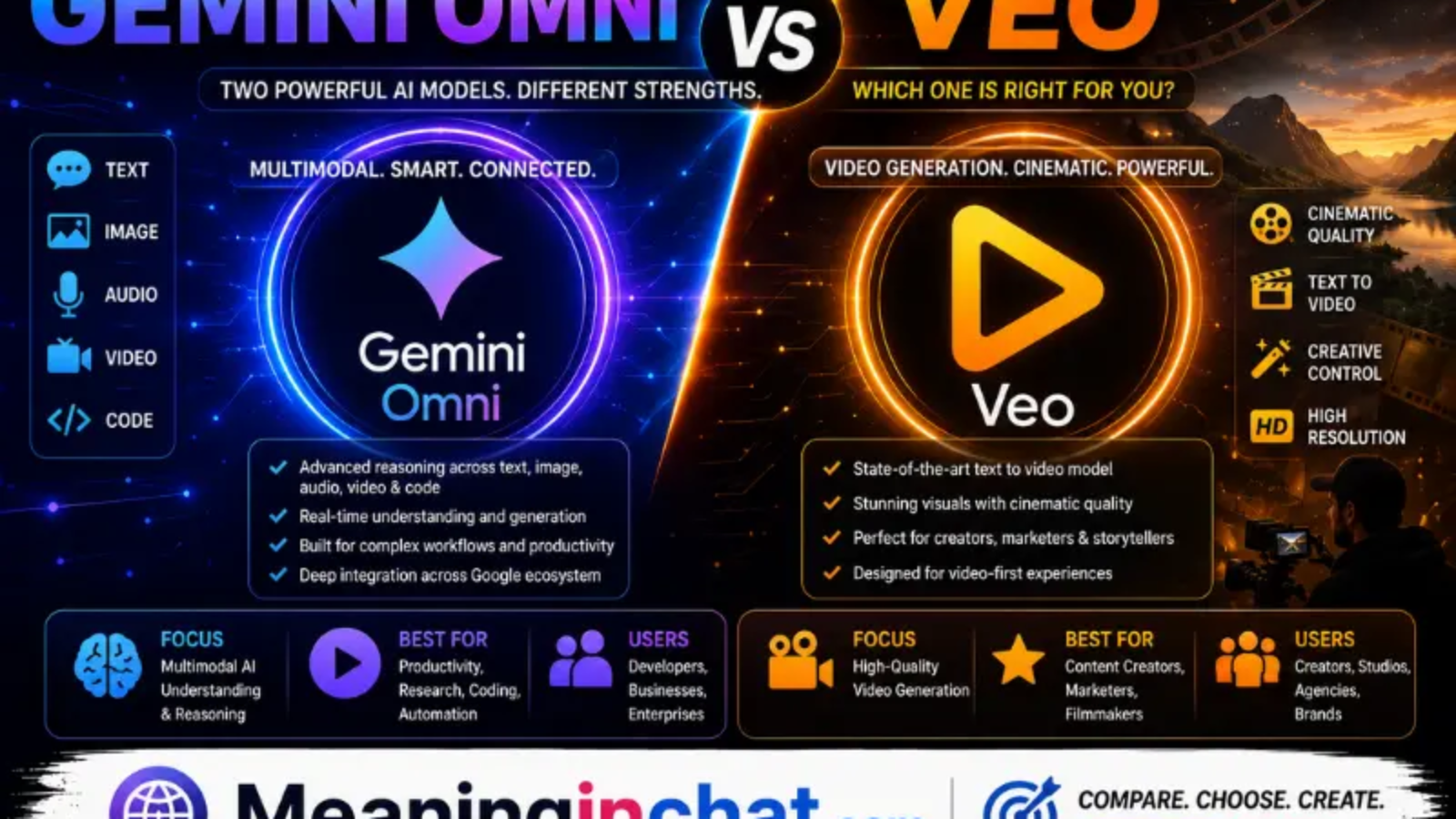
Google now has two major AI models that can create video, but Gemini Omni and Veo are not simply two names for the same technology. Gemini Omni is designed as a broader multimodal creation model that can work with text, images, video, and audio, while Veo is Google’s dedicated video-generation model aimed particularly at filmmakers and storytellers.
That difference makes the choice more interesting than simply asking which model produces the “best” video. If you want conversational editing and the ability to combine different types of references, Omni has a major advantage. If your priority is dedicated video generation, cinematic control, and specialized video features, Veo remains highly relevant.
Gemini Omni vs Veo at a Glance
| Category | Gemini Omni | Veo |
| Main focus | Multimodal creation and editing | Dedicated video generation |
| Text-to-video | Yes | Yes |
| Image-to-video | Yes | Yes |
| Video editing | Strong conversational workflow | Strong creative controls |
| Audio | Supported as an input and in video workflows | Native video/audio generation |
| Reference inputs | Text, images, video, audio | Images and video controls vary by version |
| Conversational editing | Major strength | More generation-focused |
| First/last-frame control | Available | Available |
| Scene extension | Available | Available |
| Best suited for | Iterative creators and mixed inputs | Video-focused creators and filmmakers |
Google describes Omni as a model that can create from any input, starting with video, while it calls Veo its leading video-generation model.
The Biggest Difference Is How You Create
The easiest way to distinguish the two is to look at the creative workflow.
With Gemini Omni, you can start with a video and then tell the model what you want changed. Google specifically highlights natural-language, step-by-step editing, where each instruction builds on the previous edit while maintaining scene consistency.
For example, you could generate a scene and then ask to:
- Change the background
- Replace an object
- Change the camera angle
- Modify a character
- Transform the visual style
- Alter an action
- Add another element
You don’t necessarily need to recreate the entire prompt after every change.
Veo, meanwhile, is positioned primarily around video generation and creative control. Google’s current Veo 3.1 page highlights realism, prompt adherence, audio, consistency, first/last-frame control, and other filmmaking-oriented capabilities.
Where Gemini Omni Has the Edge
Conversational Video Editing
This is arguably Omni’s most distinctive advantage.
Google describes Omni as being able to edit videos through natural conversation. Each edit can build on the previous one rather than forcing you to start over.
That makes the workflow feel closer to talking with an editor than operating a traditional video-generation interface.
Imagine creating a short scene and saying:
“Move the camera behind the character.”
Then:
“Make it nighttime.”
Then:
“Replace the car with a motorcycle.”
Then:
“Make the lighting more cinematic.”
Omni is designed around this iterative process.
Multiple Input Types
Omni is also built around multimodality.
Google says Gemini Omni can combine images, audio, video, and text as inputs to create video.
That opens up workflows where your starting point isn’t simply a written prompt.
For example, you might provide:
- A sketch
- A reference photograph
- A short video
- An audio reference
- Written instructions
and use those inputs together.
This makes Omni particularly interesting for creators who already have source material.
Iterative Creation
Another advantage is consistency across multiple changes.
Google says Omni can preserve a video across multiple amendments, allowing creators to focus on individual changes without rewriting the entire scene.
This can be valuable for social-media creators, marketers, educators, and anyone who needs several variations of the same scene.
Where Veo Has the Edge
It Is Built Specifically for Video
Veo has a more focused identity.
Google describes Veo 3.1 as its leading video-generation model designed to empower filmmakers and storytellers.
That specialization matters.
Rather than being primarily a broad multimodal creation system, Veo is built around producing video with cinematic realism, motion, audio, and creative control.
Cinematic Control
Veo emphasizes control over how a shot begins, develops, and ends.
Google’s current Veo documentation highlights first- and last-frame specification, allowing creators to define starting and ending frames for a shot.
This can be particularly useful when you need a transition between two specific visual states.
For example, you could establish:
Opening frame → camera movement → final frame
rather than leaving the entire transition to the model.
Native Audio
Audio is another major part of the current Veo experience.
Google describes Veo 3.1 as “Video, meet audio” and highlights its ability to generate video with audio.
That matters for creators who want dialogue, environmental sounds, or other audio elements to be part of the generated result rather than adding everything separately afterward.
Which One Produces More Realistic Video?
There isn’t a universal winner.
Both models are designed to produce realistic video, and Google’s own published evaluations use different tasks and benchmarks rather than providing one simple “best video model” score.
Google reports that Gemini Omni Flash performs strongly in video editing, text-to-video, image-to-video, and reference-to-video evaluations.
Veo 3.1 is similarly positioned around improved realism, physics, prompt adherence, consistency, and audio.
So the better choice depends on the type of generation you’re doing.
For iterative edits, Omni can be more convenient.
For dedicated cinematic generation, Veo may be the more natural choice.
Gemini Omni vs Veo for Image-to-Video
Both models can work with visual references, but their workflows differ.
Gemini Omni allows creators to provide reference material as part of a broader multimodal prompt. Google specifically demonstrates using reference images to modify existing videos and turn sketches or images into realistic scenes.
Veo also supports image-to-video workflows and provides additional creative controls in its current generation.
| Image-to-Video Need | Better Fit |
| Turn a sketch into a scene | Gemini Omni |
| Conversationally modify the result | Gemini Omni |
| Cinematic shot creation | Veo |
| Precise beginning/end control | Veo |
| Multiple reference types | Gemini Omni |
| Dedicated video workflow | Veo |
What About Video-to-Video Editing?
This is where Omni becomes especially interesting.
Google demonstrates transforming existing videos by changing objects, characters, environments, aesthetics, and actions while maintaining scene coherence.
That means Omni isn’t limited to creating something from scratch.
You can treat an existing clip as the starting point and ask the model to reinterpret it.
For creators who already have footage, this could be more useful than simply generating new clips from text.
Which Is Better for Social Media Creators?
For social-media creators, Gemini Omni may be the more flexible choice.
A creator can start with a rough idea, reference image, existing video, or written prompt and then refine the result conversationally.
Google has also integrated Omni into products such as Google Vids and YouTube-related creative experiences.
This makes the workflow attractive for people creating:
- YouTube Shorts
- TikTok-style videos
- Instagram Reels
- Product clips
- Promotional videos
- Short visual stories
Veo can still be an excellent choice when the main goal is generating polished cinematic footage rather than repeatedly modifying an existing scene.
Which Is Better for Filmmakers?
For filmmakers, Veo has a strong case.
Its dedicated video focus, cinematic positioning, audio capabilities, scene extension, and frame-control features make it particularly suited to structured video creation.
Omni shouldn’t be dismissed, though.
Its ability to understand a wider combination of inputs and make changes through conversation can be useful during pre-production, experimentation, visual development, and iterative editing.
A filmmaker could potentially use both:
Omni for experimentation and transformation → Veo for specialized video generation.
Which One Is Easier to Use?
For most casual users, Gemini Omni may feel easier because its editing workflow is conversational.
Google’s prompt guide encourages users to describe the shot, style, lighting, location, and action in natural language, then refine the result through subsequent instructions.
Veo can also be used with straightforward prompts, but its deeper creative controls may appeal more to users who want to deliberately construct a shot.
So:
Beginner-friendly workflow: Gemini Omni
More production-oriented workflow: Veo
Gemini Omni vs Veo for Audio
Audio deserves its own comparison because it has become increasingly important in AI-generated video.
Veo 3.1 is explicitly promoted by Google as a video-and-audio generation model.
Omni can also work with audio as part of its multimodal input and generation workflow. Google demonstrates combining different reference types and producing coherent video outputs.
If audio generation itself is the central requirement, Veo’s dedicated video positioning makes it particularly compelling.
If audio is one component of a larger multimodal editing workflow, Omni offers greater flexibility.
Which Model Is Better Overall?
There is no single winner for every user.
Choose Gemini Omni if you want:
- Conversational video editing
- Multiple types of reference input
- Iterative scene changes
- Video transformation
- Flexible creative experimentation
- A broader multimodal workflow
Choose Veo if you want:
- Dedicated video generation
- Cinematic storytelling
- Strong shot control
- Native audio
- First/last-frame workflows
- Scene extension
- A video-focused production process
Gemini Omni vs Veo: Final Comparison
| Feature | Winner |
| Conversational editing | Gemini Omni |
| Multimodal inputs | Gemini Omni |
| Existing-video transformation | Gemini Omni |
| Dedicated video generation | Veo |
| Cinematic workflow | Veo |
| Native audio focus | Veo |
| Iterative editing | Gemini Omni |
| First/last-frame control | Veo / Tie depending on workflow |
| Beginner-friendly editing | Gemini Omni |
| Filmmaking controls | Veo |
| Creative experimentation | Gemini Omni |
| Specialized video production | Veo |
See Also:
- How to Download MP4 Videos Using Tubidy
- How Online Bingo Is Evolving in the UK: in 2026
- Goseboze AI Tools: Complete Guide to Finding the Right AI Software
FAQs
Is Gemini Omni better than Veo?
Not universally. Omni is stronger for multimodal creation and conversational editing, while Veo is more specialized for video generation and filmmaking workflows.
Can Gemini Omni create videos?
Yes. Google says Gemini Omni can generate video from combinations of text, images, audio, and video inputs.
Is Veo still available after Gemini Omni?
Yes. Google continues to list Veo as its leading video-generation model alongside Gemini Omni.
Can Omni edit an existing video?
Yes. Conversational editing of existing video is one of the model’s highlighted capabilities.
Does Veo generate audio?
Google’s current Veo 3.1 documentation highlights native audio alongside video generation.
Which is better for YouTube Shorts?
Gemini Omni may be more convenient for creators who repeatedly edit and transform clips, while Veo can be preferable when the priority is generating cinematic footage from scratch.
Which is better for professional filmmakers?
Veo has a strong advantage for dedicated filmmaking workflows because of its video specialization and creative controls, although Omni can be valuable for experimentation and iterative editing.
Can you use both Gemini Omni and Veo?
Yes. Google makes both available through parts of its creative ecosystem, including Gemini and Flow.
Conclusion
Gemini Omni is not simply a replacement for Veo. Google positions them differently: Omni is a broader multimodal creation model that starts with video and emphasizes conversational editing, while Veo remains Google’s dedicated video-generation model with strong cinematic controls and audio capabilities.
If your priority is easy experimentation, reference-based creation, and editing videos through conversation, Gemini Omni is the better fit. If you’re primarily interested in cinematic video generation, shot control, audio, and filmmaking-oriented workflows, Veo is the stronger choice.
And there is an important reason not to think of this as a permanent either/or decision: Google is making both models available across products such as Gemini and Flow, so the best workflow may ultimately involve using whichever model fits the particular stage of a project.