
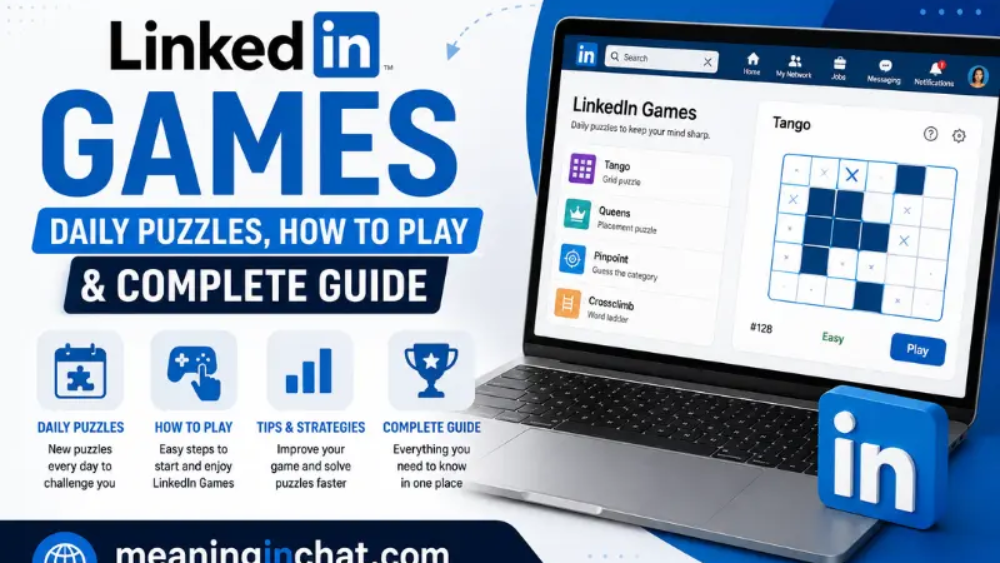
LinkedIn is best known as a professional networking platform where people connect with colleagues, search for jobs, build professional profiles, and discover industry content. However, the platform also has a lighter side: LinkedIn Games.
LinkedIn Games are short, thinking-focused daily puzzles designed to give users a quick mental challenge while creating another way to interact with their professional network. You do not need to spend a long time playing. Most games are designed around simple rules that can be understood quickly, while the challenge comes from solving the puzzle efficiently.
According to LinkedIn, both LinkedIn members and people without LinkedIn accounts can play its games. New puzzles are released every day at midnight Pacific Time.
This guide explains what LinkedIn Games are, which games are available, how each one works, how guest mode works, and what makes these daily puzzles different from traditional social-media features.
What Are LinkedIn Games?
LinkedIn Games are daily puzzles available through LinkedIn’s Games Hub. Instead of focusing on professional networking, these games provide short challenges involving words, numbers, logic, patterns, categories, and spatial thinking.
The concept is simple: open a game, solve the day’s puzzle, and then compare your result with other players or people in your network when using a LinkedIn account.
LinkedIn describes these games as thinking-oriented experiences that can help users take a short break, exercise their minds, compete with their network, and start conversations.
The Games Hub currently lists eight games:
- Wend
- Patches
- Mini Sudoku
- Zip
- Tango
- Queens
- Pinpoint
- Crossclimb
Each game has a different style, so someone who enjoys word puzzles may prefer Wend or Pinpoint, while people who like logic and grids may enjoy Queens, Tango, Zip, or Mini Sudoku.
How Do LinkedIn Games Work?
LinkedIn Games follow a daily-puzzle model.
A new puzzle becomes available each day, giving players a fresh challenge rather than an unlimited collection of puzzles to complete at once. LinkedIn says new puzzles are released daily at midnight Pacific Time.
The general experience looks like this:
- Open LinkedIn Games.
- Select one of the available games.
- Read the puzzle instructions.
- Solve the day’s challenge.
- View your result.
- If signed in, use available social features such as streaks and leaderboards.
The short format makes these games easy to fit into a morning routine, study break, or quick pause during the day.
LinkedIn Games List
Wend
Wend is a word-finding puzzle.
The objective is to connect letters and discover hidden words within the grid. One important feature is that every letter is used exactly once.
This makes Wend different from a basic word-search puzzle because you are not simply looking for random words. You have to think about how the available letters fit together and determine the correct paths.
Why Wend is interesting
Wend can appeal to players who enjoy:
- Vocabulary puzzles
- Letter patterns
- Word discovery
- Grid-based challenges
- Short daily games
If you naturally enjoy finding words or recognizing letter combinations, Wend is one of the LinkedIn Games worth trying.
Patches
Patches is a spatial logic puzzle.
The goal is to complete shapes in a grid using the clues provided by the puzzle.
Unlike word-based games, Patches focuses more heavily on visual organization and spatial reasoning.
Players need to examine the available information, understand the relationship between shapes, and determine how the grid should be completed.
Who may enjoy Patches?
Patches can be a good choice for people who like:
- Visual puzzles
- Shape-based challenges
- Grid logic
- Pattern recognition
- Problem-solving
It provides a different experience from LinkedIn’s word and trivia games.
Mini Sudoku
Mini Sudoku brings the familiar Sudoku concept into a shorter format.
The objective is to fill the grid so that every row, column, and shaded region contains every number exactly once. LinkedIn describes it as a bite-sized number puzzle created by the originators of Sudoku and a three-time World Sudoku Champion.
Because the board is designed for a quicker experience, Mini Sudoku can be easier to fit into a short break than a larger traditional Sudoku puzzle.
Why play Mini Sudoku?
It is suitable for players who enjoy:
- Number puzzles
- Logical deduction
- Structured grids
- Pattern recognition
- Traditional Sudoku-style gameplay
The rules are familiar, but the daily format gives players a new puzzle to solve.
Zip
Zip is a grid-based logic game.
Players need to draw a path through the grid, connect numbers in sequential order, and fill every cell.
The challenge comes from finding a route that satisfies all the requirements at the same time.
You are not simply connecting two points. The path needs to follow the puzzle’s rules while covering the required cells.
What makes Zip different?
Zip combines:
- Path planning
- Grid awareness
- Sequential thinking
- Spatial reasoning
- Logic
It is particularly interesting for people who like puzzles where one decision affects the rest of the board.
Tango
Tango is another logic-based grid game, but its rules revolve around two distinct emojis.
The goal is to fill the grid so that each row and column contains an equal number of the two emojis. Also, no more than two identical emojis can appear next to one another vertically or horizontally.
This creates a puzzle where players must think about both individual cells and the overall balance of the grid.
Tango at a glance
Type: Logic puzzle
Main focus: Grid balance and patterns
Challenge: Maintaining the game’s row, column, and adjacency rules
Tango is a good example of how LinkedIn Games can turn simple rules into a surprisingly challenging daily puzzle.
Queens
Queens is a logic puzzle based on placing queens on a grid.
The objective is to arrange the grid so that there is only one Queen in each row, column, and colored region.
The game requires careful elimination and planning because placing one Queen affects multiple parts of the board.
Why Queens can be challenging
A single placement can restrict possible positions elsewhere. That means players have to consider the consequences of each decision rather than treating every square independently.
If you enjoy logic-grid puzzles, Queens is one of the most distinctive games in the LinkedIn collection.
Pinpoint
Pinpoint is a word-association game.
You receive clues and need to identify the common category connecting them. LinkedIn explains that the game gives players five clues, with the challenge being to reveal as few clues as possible before identifying the category.
This means knowing the answer is only part of the challenge. Players also have to recognize connections between apparently different words.
Example of the concept
Imagine several clues that seem unrelated at first. Instead of solving each clue individually, you look for the broader idea that connects them.
That makes Pinpoint particularly interesting for people who enjoy:
- Trivia
- Categories
- Word associations
- General knowledge
- Pattern recognition
Crossclimb
Crossclimb combines trivia with a word ladder.
Each word in the ladder differs by one letter from the previous word. Players organize the words correctly and use the resulting information to unlock clues for the top and bottom words.
The game therefore combines two types of thinking:
- Recognizing trivia answers.
- Understanding how words can change one letter at a time.
Why Crossclimb stands out
Crossclimb is particularly interesting because solving one part of the puzzle can help reveal another part.
It rewards players who are comfortable with both vocabulary and general knowledge.
Where Can You Find LinkedIn Games?
There are several ways to access LinkedIn Games.
According to LinkedIn’s Help Center, games can be found through:
- The Games Hub
- The My Network page
- The Today’s Games section under LinkedIn News on desktop
- The side panel in the LinkedIn mobile app
- LinkedIn Search
- Notifications
The most direct option is the official Games Hub.
You can visit LinkedIn Games to see the available daily puzzles.
Can You Play LinkedIn Games Without an Account?
Yes.
One useful feature of LinkedIn Games is guest mode. LinkedIn says that users can play games without creating an account or signing in.
This makes the games accessible even if someone simply wants to try a puzzle before deciding whether to use the social features.
However, guest mode has several limitations.
According to LinkedIn:
- The game score is stored for 30 minutes before deletion.
- Gaming activity is not saved.
- Daily streaks cannot be maintained.
- Game alerts cannot be configured.
- Leaderboards are unavailable.
- You cannot see connections who played the game.
- Scores cannot be shared directly on LinkedIn from guest mode.
You can still copy your score and share it elsewhere.
If you want your score, streak, and LinkedIn social features saved, LinkedIn recommends signing in before the temporary guest score disappears.
LinkedIn Games Streaks
Streaks are one of the features that make daily games more engaging.
LinkedIn says streaks track daily wins in its games. By playing regularly, users can build a streak and reach new streak milestones.
Your streak can be viewed on the game’s launch page and on the results page after completing a game.
The idea is straightforward: instead of solving a puzzle once and forgetting about it, you can make daily games part of a routine.
LinkedIn Games Leaderboards
LinkedIn Games also include leaderboard features for signed-in users.
The connections leaderboard lets you see how you rank against your connections in each game you play.
There is also a game leaderboard that ranks the top 50 companies and schools based on the average scores of participating colleagues.
LinkedIn currently says that schools listed on the leaderboard include schools in the United States under the NCAA and schools in India. Companies need at least 500 employees on LinkedIn to be featured.
These features add a social layer to what would otherwise be individual puzzles.
Can You Share Your LinkedIn Game Score?
Yes.
After completing a game, LinkedIn provides options to share your score and interact with the game’s community.
LinkedIn says users can share their game score or a leaderboard with their network. They can also participate in daily discussion threads where players exchange tips and discuss the games.
This makes LinkedIn Games different from many standalone puzzle websites.
The result is not necessarily the end of the experience. Your score can become a conversation starter with people in your professional network.
Why Does LinkedIn Have Games?
At first, LinkedIn and games might seem like an unusual combination.
LinkedIn has traditionally focused on professional networking, employment, business content, and career development. Games introduce a more casual activity into that environment.
However, short daily puzzles can encourage users to return to the platform regularly.
They can also create opportunities for light interaction between colleagues and connections.
Instead of starting every interaction with a job-related conversation, people can compare puzzle results, discuss a challenging clue, or compete with friends and colleagues.
LinkedIn itself describes the games as a way to compete with your network, spark conversations, and break the ice while exercising your mind in a few minutes.
Are LinkedIn Games Free?
LinkedIn’s Games Hub makes its daily puzzles available through LinkedIn, including guest access for people who are not signed in.
The official Help Center does not describe these games as prize-based competitions. LinkedIn specifically states that there are no prizes for solving the games.
The primary purpose is therefore entertainment, mental challenge, and social interaction rather than winning money or physical rewards.
Do LinkedIn Games Have New Puzzles Every Day?
Yes.
LinkedIn states that new puzzles are released every day at midnight Pacific Time (PT).
Because each day introduces a new puzzle, users can return regularly without having to search through a large archive.
For people who enjoy daily puzzle routines, this format can be especially convenient.
LinkedIn Games on Desktop and Mobile
LinkedIn Games can be discovered in different locations depending on the device.
On desktop, LinkedIn says users can find the Today’s Games section under LinkedIn News on the homepage.
On mobile, games can appear through the side panel in the LinkedIn app.
They can also be accessed through the Games Hub, My Network, Search, and notifications.
This gives users multiple ways to discover the daily puzzle.
Which LinkedIn Game Should You Try First?
There is no single best game for everyone because each one tests a different type of thinking.
If you like word puzzles
Try Wend or Pinpoint.
If you enjoy trivia
Try Crossclimb or Pinpoint.
If you like number puzzles
Try Mini Sudoku.
If you prefer logic grids
Try Queens, Tango, or Zip.
If you enjoy spatial challenges
Try Patches or Zip.
The good thing about the Games Hub is that you do not have to choose only one style. You can explore the full collection and discover which puzzle format suits you.
LinkedIn Games vs Traditional Puzzle Apps
LinkedIn Games have a different identity from dedicated puzzle applications.
A traditional puzzle app may focus almost entirely on gameplay. LinkedIn Games combine puzzle solving with professional networking.
The main differences include:
| Feature | LinkedIn Games |
| Daily puzzles | Yes |
| Social network integration | Yes |
| Connections leaderboard | Yes |
| Company/school leaderboard | Yes |
| Daily streaks | Yes |
| Guest mode | Yes |
| Multiple puzzle formats | Yes |
| Prizes for solving | No |
The biggest distinction is the social element. LinkedIn allows players to compare results and interact with their network instead of treating the game as an entirely private activity.
Tips for Enjoying LinkedIn Games
You do not need complicated techniques to enjoy these puzzles. A few simple habits can make the experience more comfortable.
Start with the rules
Before trying to solve a puzzle quickly, understand exactly what the game is asking you to do.
Try different games
Do not assume that the first game you open will be your favorite. LinkedIn offers several puzzle styles.
Use mistakes as information
A wrong move can sometimes tell you more about the structure of a puzzle. Pay attention to what the puzzle teaches you.
Make it a short routine
Since the games are designed around short daily challenges, you can treat them as a quick mental break rather than a long gaming session.
Compare scores for fun
If you use LinkedIn’s social features, comparing results with connections can add another layer of enjoyment.
Are LinkedIn Games Useful?
The main purpose of LinkedIn Games is entertainment and short-form mental challenge.
Different games require different types of thinking, including:
- Vocabulary recognition
- Pattern recognition
- Logical deduction
- Spatial reasoning
- Number placement
- Trivia knowledge
- Sequential thinking
It is important not to treat these games as a replacement for formal learning. Their main value is that they provide a short, accessible puzzle experience inside a platform many people already use.
See Also:
- WoW Classic Leatherworking Leveling Guide 1-300: Fast & Easy Path
- Instagram Unfollow Tracker: How It Works, Features & Safe Use
- Scratch Geometry Dash: Play, Features, Controls & How It Works
FQAs
What are LinkedIn Games?
LinkedIn Games are daily puzzles available through LinkedIn. They include word, trivia, number, spatial, and logic-based challenges.
How many LinkedIn Games are available?
The current LinkedIn Games Hub lists eight games: Wend, Patches, Mini Sudoku, Zip, Tango, Queens, Pinpoint, and Crossclimb.
Can I play LinkedIn Games without signing in?
Yes. LinkedIn allows games to be played in guest mode without a LinkedIn account or sign-in.
Does guest mode save my score?
Only temporarily. LinkedIn says a guest score is stored for 30 minutes before it is deleted.
Can guests maintain a streak?
No. Daily streaks are unavailable in guest mode.
Are LinkedIn Games released every day?
Yes. LinkedIn says new puzzles are released daily at midnight Pacific Time.
Are there prizes for winning LinkedIn Games?
No. LinkedIn states that there are no prizes for solving these games.
Can I compare my score with connections?
Yes. LinkedIn provides a connections leaderboard showing how you rank with your connections in games you play.
Can I share my LinkedIn Games score?
Signed-in users can share game scores and leaderboard information with their network.
What is Pinpoint on LinkedIn?
Pinpoint is a word-association game where you identify the category connecting a set of clues.
What is Crossclimb on LinkedIn?
Crossclimb is a trivia and word-ladder puzzle in which words differ by one letter from the previous word.
What is Queens on LinkedIn?
Queens is a logic puzzle requiring players to place one Queen in each row, column, and colored region.
What is Mini Sudoku on LinkedIn?
Mini Sudoku is a compact Sudoku-style number puzzle where rows, columns, and shaded regions must contain each number exactly once.
Conclusion
LinkedIn Games add a surprisingly casual experience to a platform traditionally associated with professional networking.
The collection includes eight different daily puzzles, ranging from word association and trivia to Sudoku, paths, shapes, and grid-based logic.
The biggest advantage is simplicity. You can open a daily puzzle, spend a few minutes solving it, check your result, and—if you’re signed in—compare your performance with your network.
Guest mode also makes the games accessible without signing in, although important features such as saved activity, streaks, leaderboards, and direct LinkedIn sharing require an account.
For anyone looking for a quick daily puzzle inside a familiar social platform, LinkedIn Games are worth exploring. Whether you prefer words, numbers, trivia, or logic grids, there is a different challenge waiting each day.
Key takeaway: LinkedIn Games are not just another collection of puzzles. They combine short daily challenges with social features, giving users a simple way to take a mental break and interact with their professional network.
